Overview: Data Directory
The Data Directory enables you manage files, layers, and exports.
You can upload you own files as well view files uploaded by your team members from your own organization in the Data Directory.
Accessing Data Directory
In this section, you will get to know how to access data directory.
To access the data directory, do the following:
-
Login to the platform.
-
Click the Data module, under the Data Manager area, select the Data Directory sub-module.
The Data Directory home page is displayed.
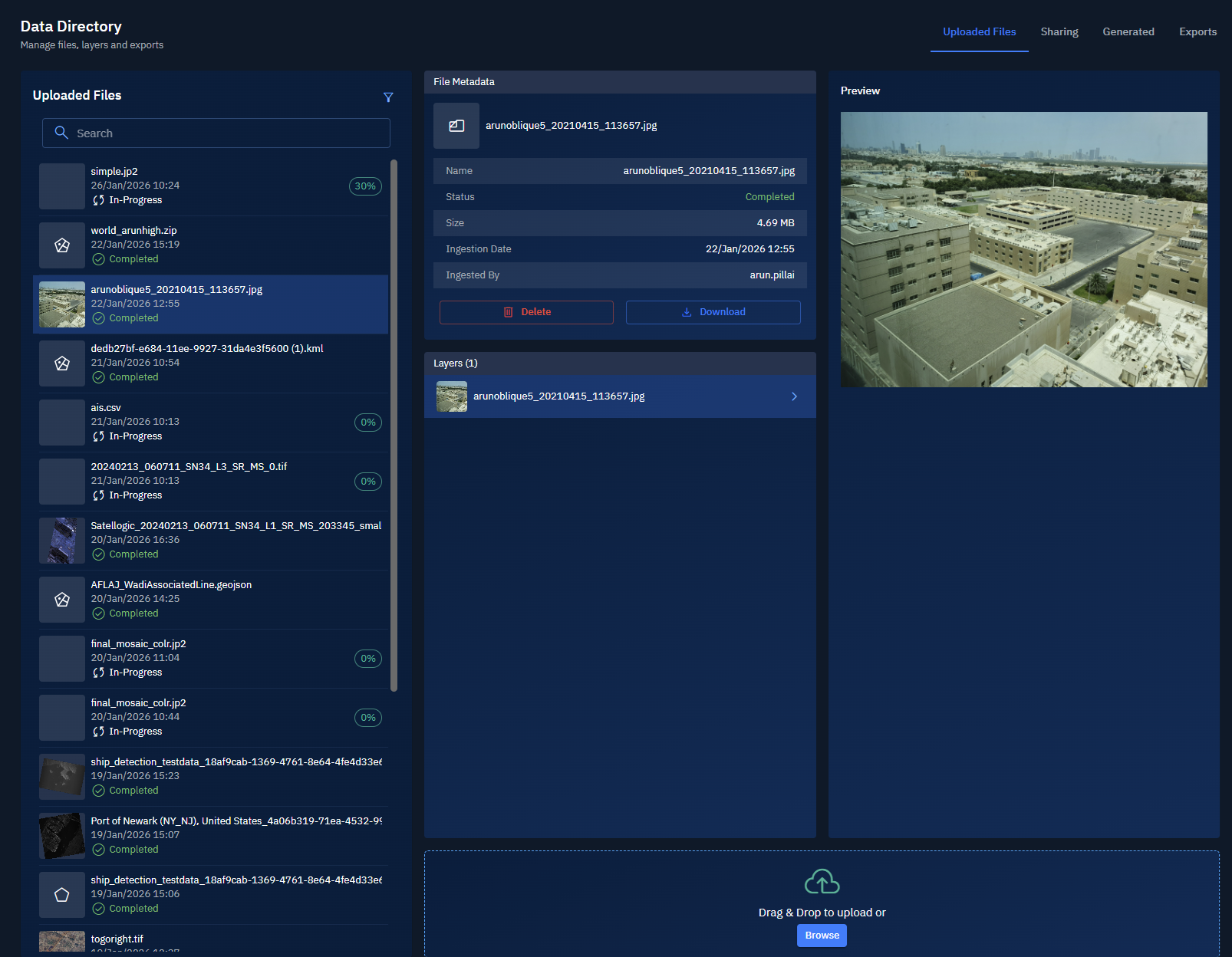
The Data Directory home page displays the following:
- Uploaded Files tab - View files you and your team uploaded to the platform. This is the default home page of data directory.
- Shared Files tab - View files that you have shared with your team and the files shared with you by your team.
- Generated Files tab - View files that are generated via analytics run by the platform and run by you and your team.
- Exported Files tab - View files that you and your team have exported.